
Documentation


Wallets
Transactions
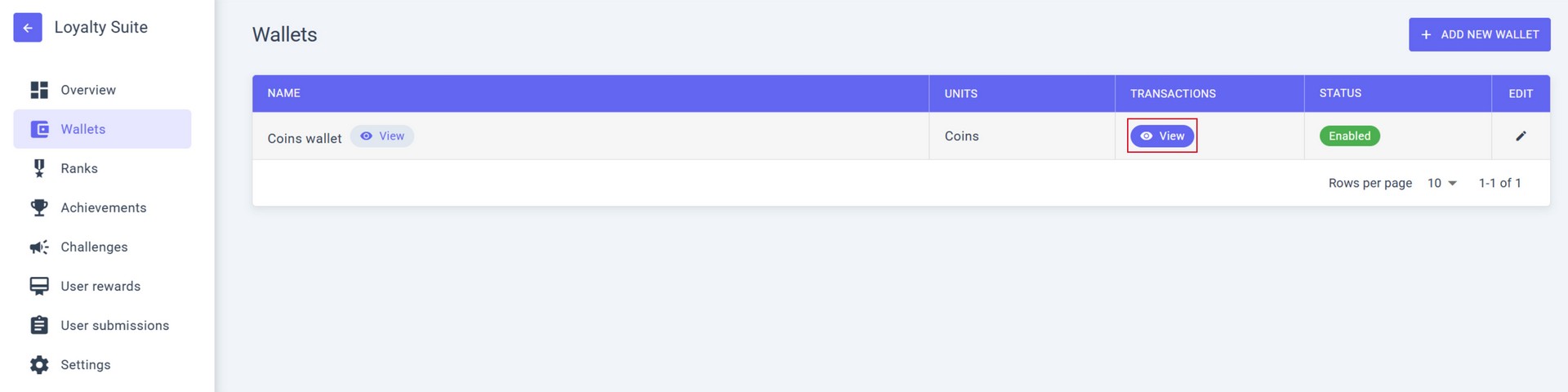
To view the list of all transactions of this wallet, click the VIEW button in the TRANSACTIONS column.
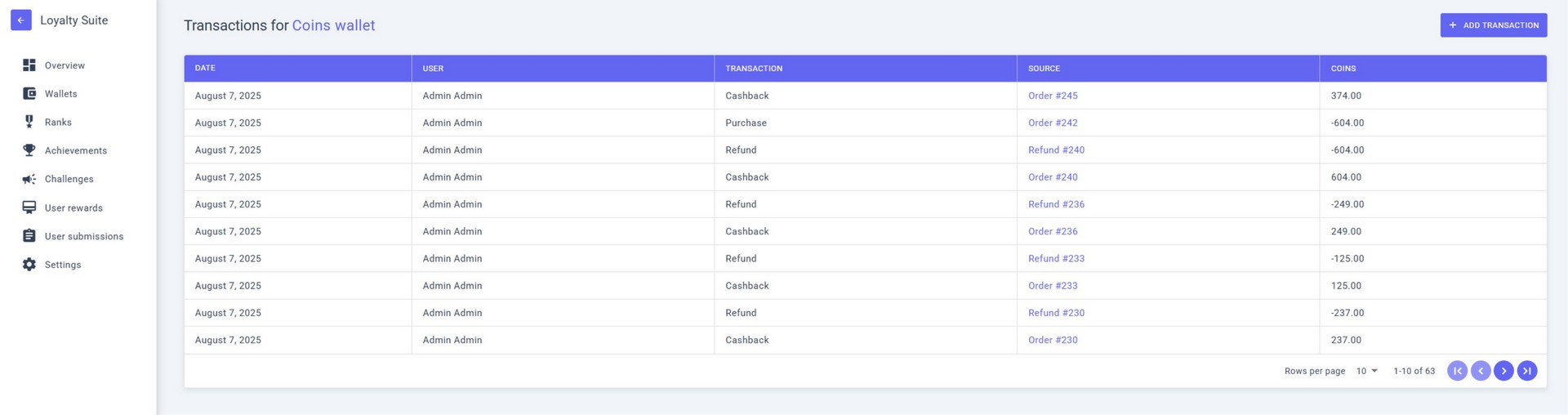
The TRANSACTIONS menu will display a detailed list of all transactions for the current WALLET.
Manual Credit and Debit
You can manually add or remove UNITS for any user in any wallet.
- Go to the TRANSACTIONS menu;
- Click ADD TRANSACTION;
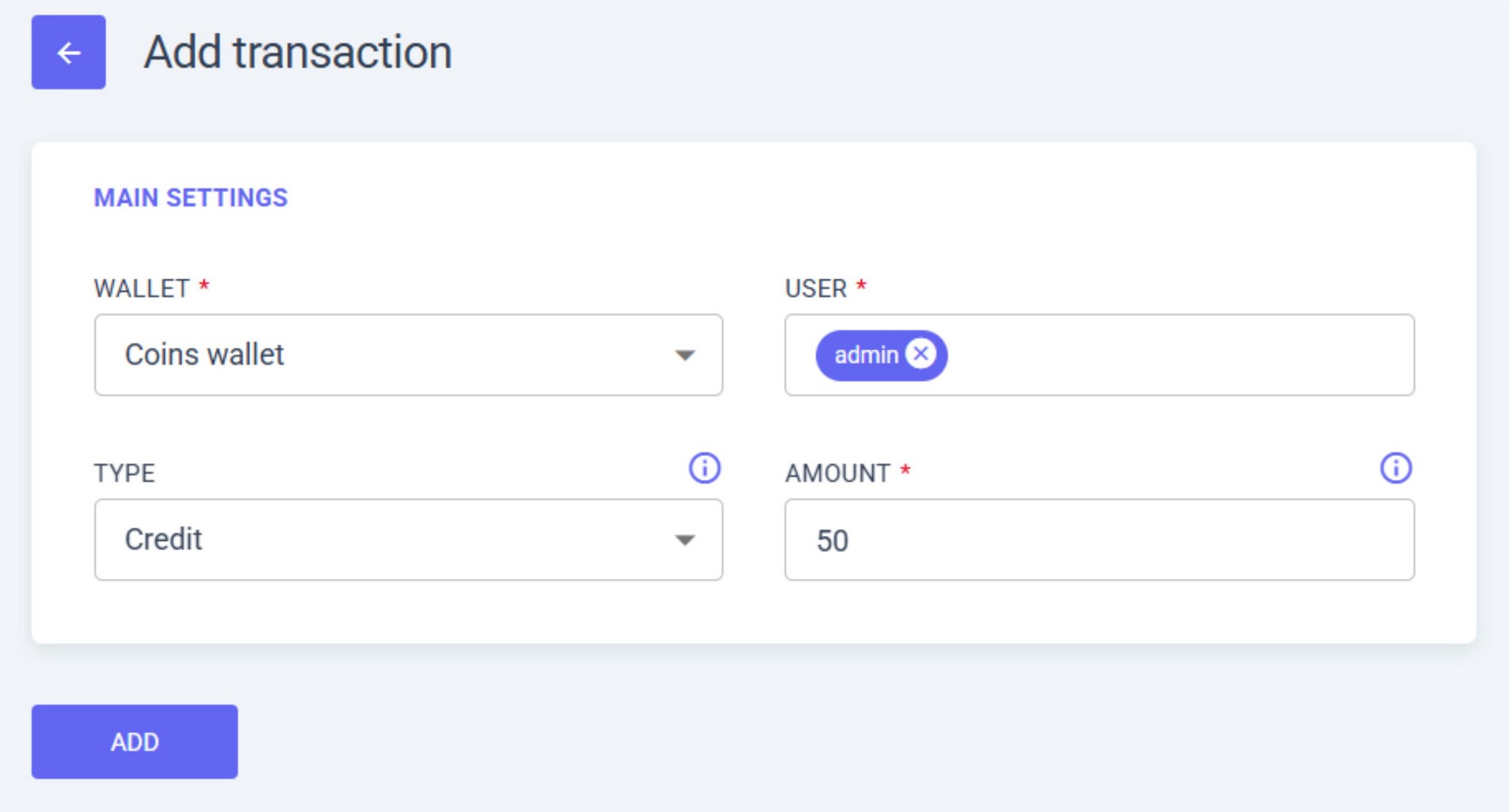
3. Configure the transaction:
- a. WALLET – select the wallet where the transaction will be made (e.g., “Coins wallet”);
- b. USER – select the user for the transaction (e.g., “admin”);
- c. TYPE – choose CREDIT (add funds to wallet) or DEBIT (deduct from wallet);
- d. AMOUNT – enter the amount (e.g., “50”);
- e. Click ADD.
4. The transaction will appear in the list of all transactions.