
Documentation

Wallets
Configuration
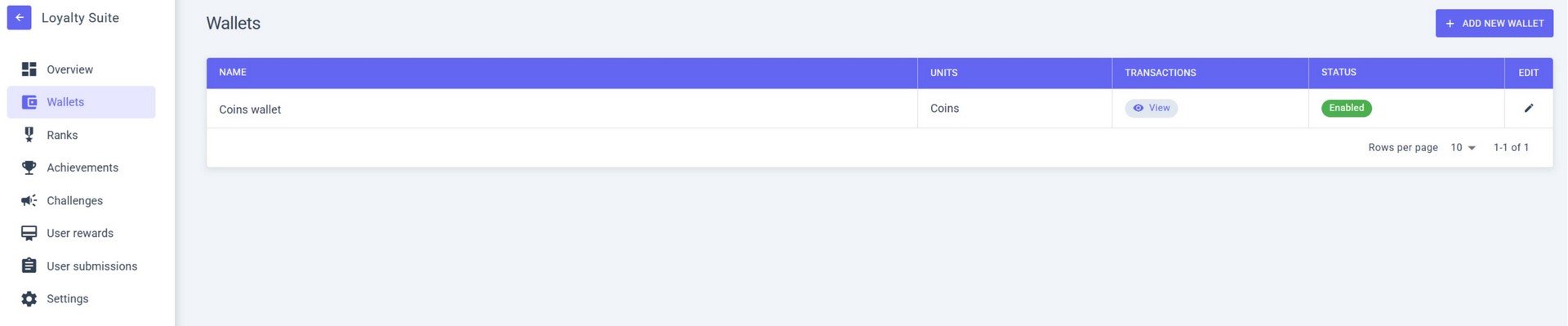
In the WALLETS section you can see the list of all your wallets and their status.
To create a wallet, select ADD NEW WALLET.
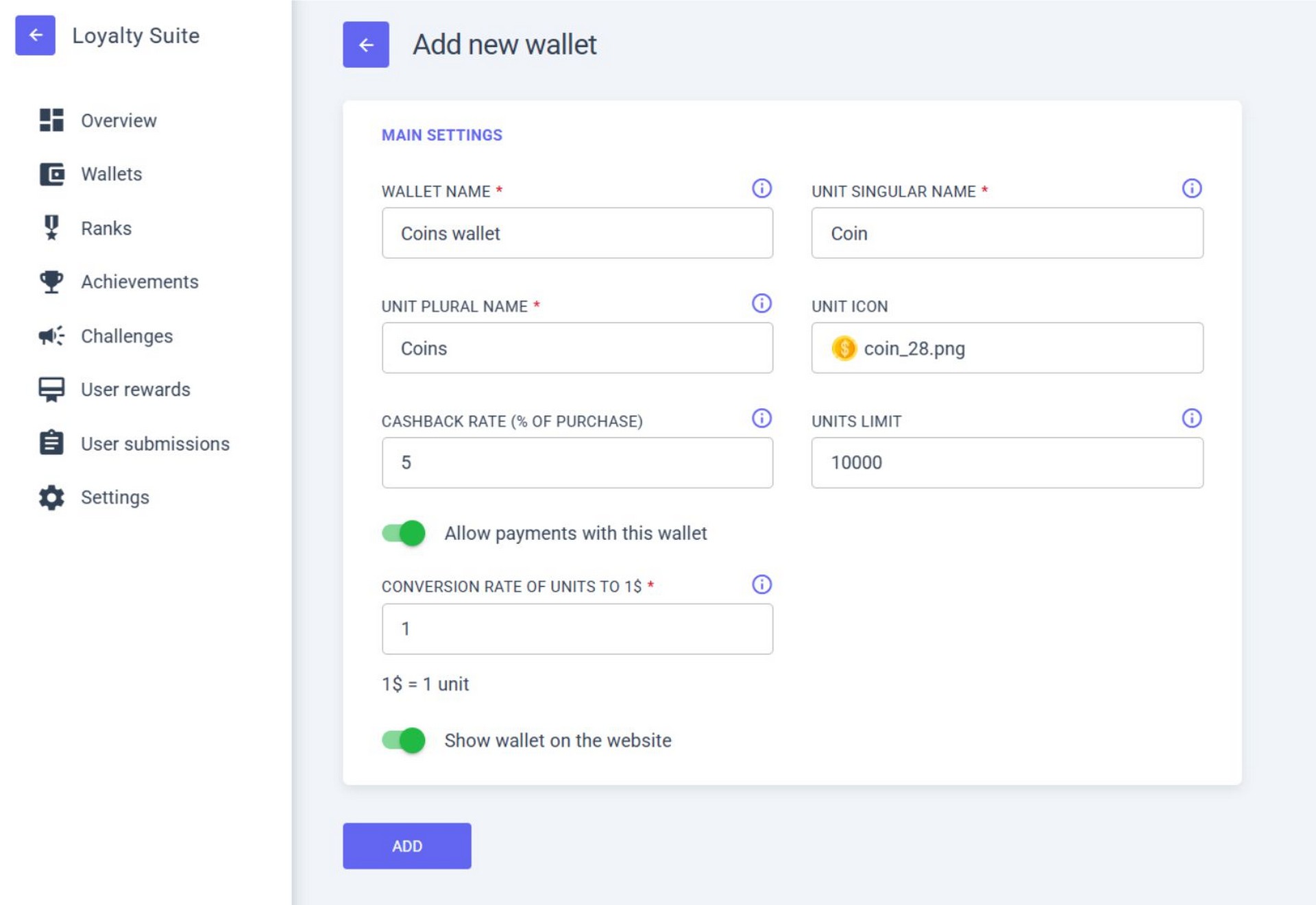
Fill out the MAIN SETTINGS for the wallet:
- WALLET NAME – let’s call it “Coins wallet”
- UNIT PLURAL NAME – “Coins”
- UNIT ICON – you can select an icon from the pre-installed ones or upload your own;
- CASHBACK RATE (% OF PURCHASE) – this parameter defines what percentage of the purchase amount will be credited to the wallet;
- UNITS LIMIT – set a wallet limit. If left empty, the wallet will have no limits;
- Enable ALLOW PAYMENTS WITH THIS WALLET – to allow paying for real purchases with this wallet;
- CONVERSION RATE OF UNITS – if set to “1”, then 1 Coin = 1 USD;
- Enable SHOW WALLET ON THE WEBSITE – to activate the wallet;
- Click ADD.
Finalizing the WALLET
You can change the main settings of the wallet at any time.
The created wallet will appear in the WALLETS section.